New Features in Able2Extract Professional 21
Explore the latest PDF features in Able2Extract Professional 21 and upgrade your PDF workflows! Experience smarter Excel conversions, more accurate Word output, and a refreshed modern interface.
Able2Extract Professional 21 comes with useful improvements designed to help professionals convert, edit, and work with PDF documents faster and with more precision than ever. This latest version focuses on deeper document intelligence, enhanced usability, and conversion accuracy for users working heavily with Microsoft Excel and Word.
If you handle financial tables, technical reports, business documents, or large-scale data extraction, Able2Extract Professional 21 gives you meaningful upgrades across the board. Below is a detailed breakdown of what’s new and how these enhancements help you work more efficiently.
Enhanced Excel Conversion Accuracy

Improved detection of merged rows in complex tables
Professionals working with structured data often struggle with PDFs containing inconsistent formatting, irregular table spans, or hidden merged rows. Able2Extract Professional 21 introduces a more advanced recognition engine that accurately detects merged rows, even in complex tables with layered formatting or multi-line cell content.
- Cleaner spreadsheet outputs without misaligned data
- Correct row grouping, preserving the original table structure
- More reliable downstream analysis, particularly for financial statements, invoices, and large datasets
- Reduced formatting corrections after conversion
If you frequently convert tables generated from ERP systems, accounting platforms, or scanned reports, this enhancement can significantly improve your workflow.
Automatic rotation of vertical text in Excel (column headers included)
Many technical documents, engineering drawings, and reports use vertical text for column headers or labels. Previously, this required manual adjustment after export to Excel.
Able2Extract Professional 21 now automatically:
- Detects vertical or rotated text
- Re-applies proper rotation in the resulting Excel sheet
- Maintains alignment with corresponding data columns
Able2Extract Professional 21 supports 270 - degree clockwise (CW) angle rotation (most common non-zero angle). The result: spreadsheets that look like the original source, save time, and are ready for immediate analysis.
Automatic recognition of European continental settings (decimal comma)
Users working with European numerical formats often face conversion issues where numbers with decimal commas are mistakenly interpreted as text or mislabelled values.
The new version includes smarter locale recognition, automatically detecting decimal commas and thousands separators.
This ensures numerical integrity when converting PDFs to Excel, preventing data corruption and preserving accurate values for calculations, pivot tables, and further manipulation.
Able2Extract Professional 21 adapts seamlessly to support documents that follow either 1.000,25 or 1,000.25 formatting.
Detection and accurate conversion of tables in column paragraphs and simple side-by-side tables
Able2Extract now delivers improved detection of tables embedded within complex PDF layouts. Tables placed inside two-column paragraphs or positioned side-by-side on the same page are automatically identified and extracted with greater accuracy.
The enhanced layout analysis distinguishes table structures from surrounding text and recognizes separate tables even when they appear within column-based content.
Side-by-side tables are accurately recognized during Automatic PDF to Excel conversion, allowing multiple tables on the same page to be exported as clean, separate datasets without additional manual selection.
During PDF to Excel conversion, Able2Extract preserves table boundaries, column alignment, and row structure to prevent data from merging or breaking across columns.
This ensures that tables remain clean, organized, and ready for analysis in Excel, reducing the need for manual adjustments after conversion, especially when working with reports, financial documents, and research papers that use two-column layouts.
Expanded and Improved PDF to Word Conversion
Enhanced conversion: Complete analysis of Word document structure
The PDF to Word conversion engine performs a deep structural analysis of your PDF, resulting in a Word file that is far more editable and faithful to the original.
This upgraded conversion engine provides:
Better paragraph recognition
Text blocks are intelligently analysed and converted into correctly defined paragraphs, not random line breaks or disconnected fragments. This makes editing significantly easier and more natural within Word.
Accurate table recognition
The upgraded conversion engine now detects PDF table structures with precision and reliably preserves columns, rows, and merged cells in your Word documents. Tabular data is extracted cleanly, so you can work with it in Microsoft Word, no reformatting required.
Improved column detection
Multi-column layouts (reports, newsletters, journals, financial summaries) are recognized with more precision. The resulting MS Word output now maintains:
- Proper column flow
- Correct spacing
- Accurate reading order
You no longer need to manually reconstruct complex layouts after conversion.
Easier document editing
The new engine prioritizes editability:
- Fewer floating text boxes
- More structured formatting
- Clean Word styles applied where appropriate
- Reduced need for layout cleanup
With Able2Extract Professional 21, your Word conversions now feel like native documents - ideal for revising contracts, editing proposals, and repurposing older PDF content.
A Modernized, More Intuitive User Interface
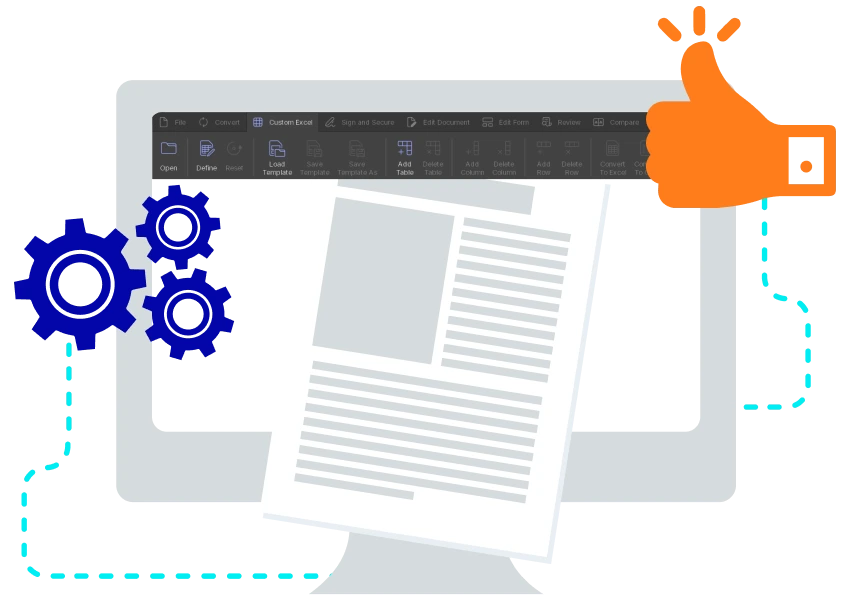
Updated toolbar icons and modern color scheme
Able2Extract Professional 21 introduces a refreshed interface designed for clarity and usability. The new toolbar icons feature a cleaner, modern style that makes essential tools easier to spot immediately.
The updated color scheme offers:
- Improved visibility
- Reduced visual clutter
- A more contemporary and professional look
For long content review sessions or quick document edits, the updated UI feels both familiar and noticeably more polished.
Refined UI font for improved readability
To enhance user comfort and make long work sessions easier on the eyes, the interface now uses a sharper, more readable system font throughout.
Text in menus, dialog boxes, and toolbars appears cleaner, making the entire Able2Extract workspace feel more consistent and modern.
Why Upgrade to Able2Extract Professional 21?
Able2Extract Professional 21 is tailored for professionals in finance, accounting, engineering, law, academia, operations, and any workflow that depends on accurate PDF data extraction. The improvements aim to:
- Minimize manual cleanup
- Preserve document integrity
- Increase conversion accuracy
- Boost productivity with more intuitive tools
- Support international number formatting standards
From smoother Excel conversions to highly editable Word output and a cleaner UI, this release focuses on real, practical improvements that help you work smarter.